
Print to the printers your clients already own.
No hardware purchase necessary. If a venue already runs a supported Star or Epson printer, it can take jobs from your system through the eatabit API — for $7 a month per printer.
- No hardware to buy or ship
- No software installed in the venue
- Same API and templates as eatabit's own printers
Your system posts a job. The printer collects it.
Supported printers have a cloud-connection mode built into their firmware. Pointed at eatabit, the printer checks in over the venue's internet connection and picks up anything waiting for it.
01 · your system
Send a job
One authenticated API call carries the order data and names the printer. Nothing changes if the printer is ours or yours.
POST /v20/jobs
{ "printerId": "…", "webhook_url": "…", "orderData": { … } }
02 · eatabit
We render it
The hosted template becomes the printer model's own command set — text, barcodes, QR codes, logos, cut — and the job is queued for that printer.
03 · the venue
The printer collects it
On its next check-in the printer downloads the job, prints it and reports back. Status reaches you as a webhook.
- Polled, not pushed
- The printer asks for work every 30 seconds, so a job's delivery time follows that interval.
- Outbound only
- The printer makes outbound HTTPS requests. No inbound ports, no VPN, no box on the counter.
- One integration
- Venues on your printers and venues on ours share the same API, templates and webhooks. Mix them across a fleet.
Ten Star and Epson models
If the printer in your client's venue is on this list, it may be usable as it is. The model number is on the label underneath the printer.
Epson
6 models
| Model | Media |
|---|---|
| TM-m30III | Receipt |
| TM-m30II | Receipt |
| TM-m50 / TM-m50II | Receipt |
| TM-T88VI / TM-T88VII | Receipt |
| TM-H6000V | Receipt + slip |
| TM-L100 | Liner-free label |
Star
4 models
| Model | Media |
|---|---|
| TSP100IV / TSP143IV | Receipt |
| TSP100IV SK | Linerless label |
| mC-Print3 | Receipt |
| mC-Label3 | Label |
Check the generation, not just the family: a TSP143III or an original TM-m30 is not on this list. Printer not listed? Ask us.
From the printer on the counter to the first ticket
Nothing to install and nothing to ship. Each printer pairs from the eatabit dashboard in a few minutes, with someone at the venue who can reach the printer.
Check the model
Read the model off the printer's label and find it on the list above.
Talk to sales
Tell us the models and how many venues. We set up your account.
Enter the pairing address
In the eatabit dashboard, pick the model and get a pairing address. Sign in to the printer's built-in web settings and enter it there.
Confirm with the PIN
The printer checks in and prints a pairing slip. Enter its PIN in the dashboard, wait for the confirmation slip, then start the $7/mo subscription.
Send the first job
Post a job to the printer's ID. It prints on the next check-in.
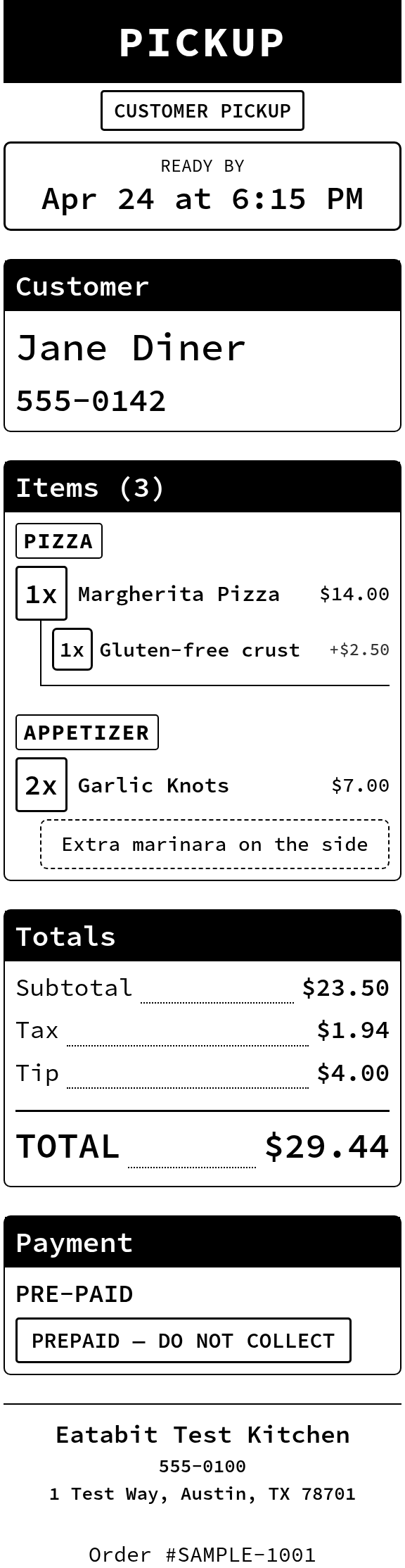
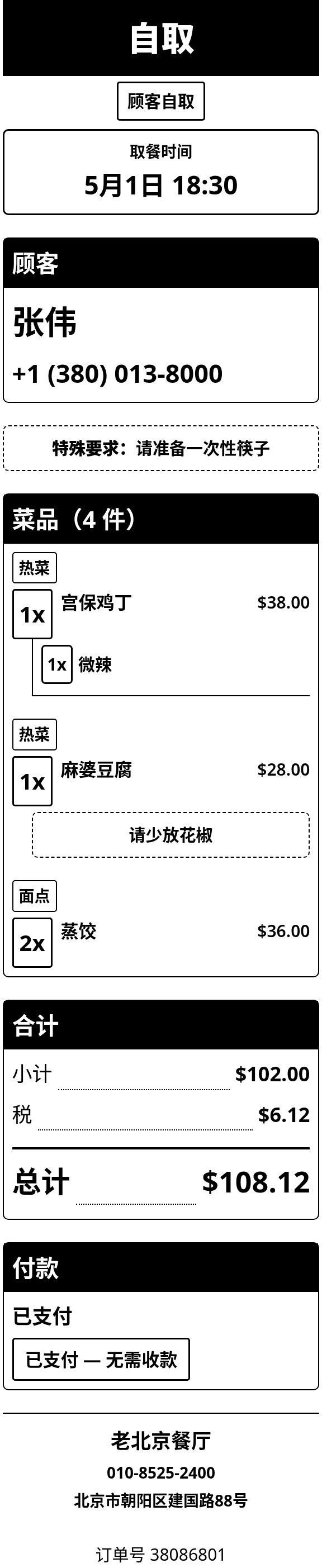
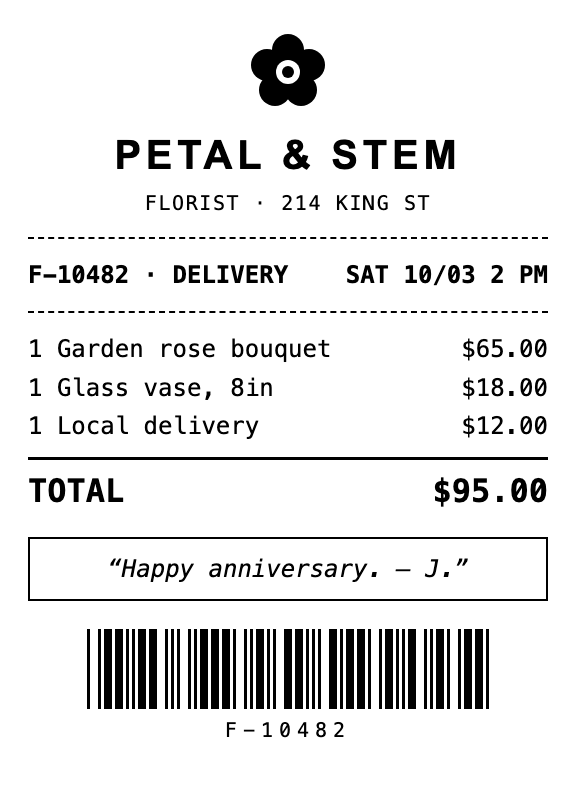
Real output from our hosted templates
Order tickets and retail receipts, rendered from the same data your system already sends. Every sample below came off a thermal printer template.
$7 a month, per printer. That's the whole bill.
When the venue already owns a supported printer, there is no hardware to buy and nothing to ship — so connecting it costs the subscription and nothing else. Template design and integration help are quoted separately, once.
Need new printers too? Compare with eatabit hardware on the pricing page.
- Do we have to buy hardware?
- No. A supported printer already in the venue connects as it is.
- Is printing instant?
- It is polled: a job prints when the printer next checks in, within 30 seconds.
- Does the printer keep working with the venue's POS?
- Yes. Connecting to eatabit doesn't take the printer away from the venue's POS, which keeps printing to it as before.
- Are there minimums?
- No per-venue minimums and no device-count commitment.
Find out if your clients' printers qualify.
Send us the models in the field and how many venues. We'll tell you which can connect today.